Tokens for the relay
Keep the relay and admin tokens in owner-only files.
How you got here: Desktop app What a box needs 1. Create the controller key 2. Pair a box 4. Watch it Serving metered RPC: jumpgate relay
Show previous steps 6
Install 1
- Desktop app
Download the desktop app for your OS and open it.
The macOS zip holds Jumpgate.app and Jumpgate Terminal.app; Windows has jumpgate-tray.exe and jumpgate.exe; Linux has install.sh. Every download carries both Linux agents.
Show image
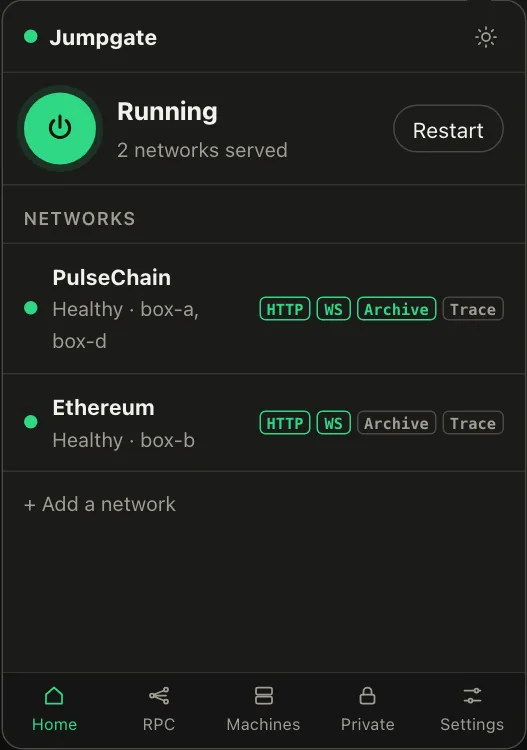
Illustration from the jumpgate.app demo, with made-up boxes; not a screenshot of the app.
Getting started 4
- What a box needs
A Debian or Ubuntu box with systemd, reachable as root over SSH.
Setup needs root (or passwordless sudo with --sudo) and checks Linux, systemd and disk first. The node itself runs as an unprivileged account.
- 1. Create the controller key
Create the key that signs every command to your boxes.
jumpgate keys init stores it in the Keychain, Credential Manager, Secret Service, 1Password or an owner-only file. It never leaves your computer.
Show image
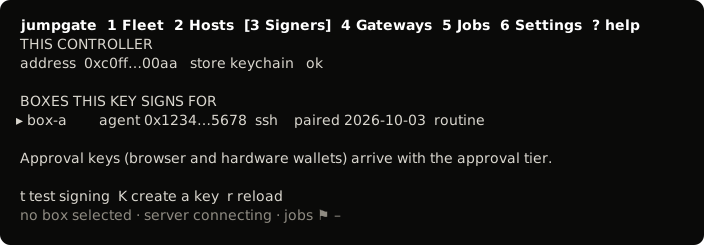
The TUI, from its test snapshot; empty rows removed. - 2. Pair a box
Install the agent on a box and confirm its host key.
You confirmed the box's fingerprint, and jumpgate installed jumpgate-agent.service and a restricted tunnel user. The box now takes only signed commands.
Show image
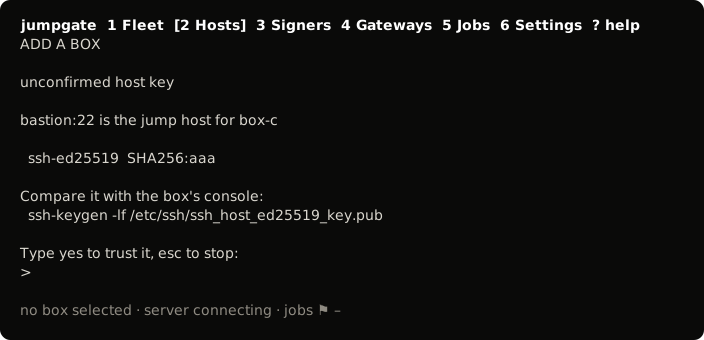
The TUI, from its test snapshot; empty rows removed. - 4. Watch it
Watch sync, peers, disk and logs.
jumpgate status and jumpgate logs, the TUI or the app all show the same readings from the same server.
Show image
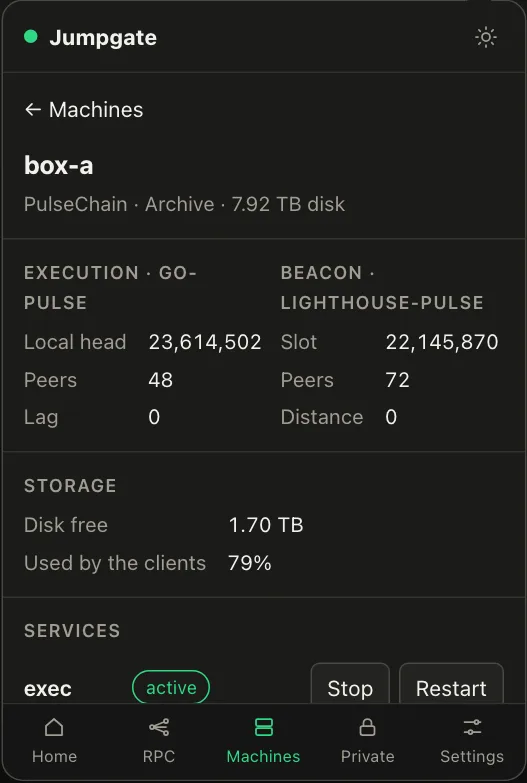
Illustration from the jumpgate.app demo, with made-up boxes; not a screenshot of the app.
Commands 1
- Serving metered RPC: jumpgate relay
Serve keyed, metered RPC with jumpgate relay.
The relay runs as its own process, away from the controller key, with its token in an owner-only file. Out-of-credit calls get a 402.
Show image
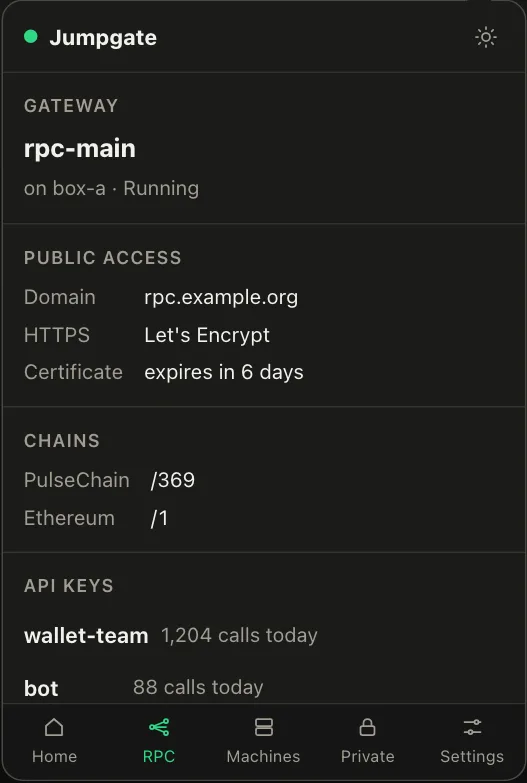
Illustration from the jumpgate.app demo, with made-up boxes; not a screenshot of the app.
The relay and admin tokens never come from a flag. Put each in its own file, readable only by you (chmod 600), and point to it with JUMPGATE_RELAY_TOKEN_FILE and JUMPGATE_ADMIN_TOKEN_FILE. (JUMPGATE_RELAY_TOKEN and JUMPGATE_ADMIN_TOKEN also work, but not together with the file form.) The server and the relay refuse a token file that is a symlink or not a regular file, grants any permission to group or others, or is owned by another user (unless they run as root). Windows makes equivalent checks.