Terminal only: TUI and CLI
The jumpgate binary alone, for servers and scripts.
How you got here: this is a starting point; it needs nothing before it.
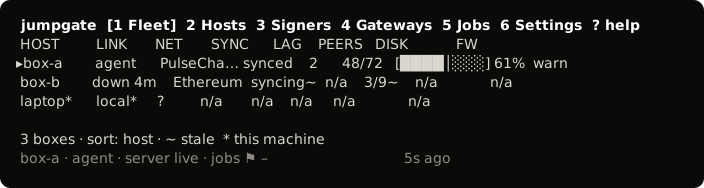
The jumpgate_<os>_<arch> archives hold the jumpgate binary, for servers and scripts. There are builds for darwin_arm64, darwin_amd64, linux_amd64, linux_arm64, windows_amd64 and windows_arm64. The Windows archives are .zip; the others are .tar.gz.
tar xzf jumpgate_linux_amd64.tar.gz
./jumpgate
In a terminal, bare jumpgate opens the terminal UI.